

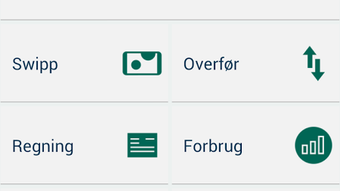
Description
Download Andelskassen APK – Mobile Banking, Finance, Secure Banking App
Overview
Andelskassen is a mobile banking application developed by Bankernes EDB Central, designed to bring comprehensive financial services directly to users’ Android devices. As a free tool in the Business & Productivity category, specifically under Finance, it enables customers to manage their accounts, track transactions, and perform essential banking operations from anywhere. The app supports core banking functions such as checking account balances, reviewing recent transactions, transferring funds between accounts, and paying bills. Users can also enroll in the Payment Service to automate recurring payments. For investors, the app offers tools to monitor securities performance and execute buy/sell actions on stocks and investment certificates. Additional features include secure messaging with the bank, the ability to activate or block payment cards, and category-based expense tracking to support personal financial planning. Users can set financial goals and monitor progress within the app. Even non-customers can access select services, such as locating nearby branches or ATMs, checking currency exchange rates, and retrieving the emergency card-blocking number. The application was released on April 15, 2024, and is available for download via the Google Play Store. It is optimized for Android devices and regularly updated to maintain functionality and security.
Key Features & Capabilities
- Real-time account balance and transaction history access
- Inter-account and external fund transfers
- Bill payment and enrollment in the Payment Service
- Securities monitoring and stock/investment certificate trading
- Secure in-app messaging with the bank
- Instant card activation and blocking functionality
- Expense categorization and financial goal tracking
- Location-based services for finding branches and ATMs
- Live currency exchange rate display
- Emergency card-blocking contact information
These capabilities allow users to streamline daily financial tasks without visiting a physical branch. For example, someone managing multiple accounts can instantly transfer funds between them during a shopping trip. An investor can monitor their portfolio in real time and make trades while on the go. A user setting a savings goal can track progress through categorized spending insights. Non-customers benefit from the app’s public-facing tools, such as locating the nearest ATM or checking exchange rates before traveling. The app integrates financial management and customer service into a single interface, promoting efficiency and financial awareness. All features are designed with security in mind, though specific encryption protocols were not detailed in the provided information. The application supports both personal and professional financial needs, making it a versatile tool for individuals seeking greater control over their finances.
User Interface, Workflow & Performance
The user interface of Andelskassen is structured to prioritize clarity and accessibility, with a clean layout that organizes key functions into intuitive sections. Navigation is straightforward, using a bottom menu bar with labeled icons for core features such as accounts, payments, investments, and messages. The workflow for common tasks—like transferring money or paying a bill—is designed to minimize steps, enhancing usability for both new and experienced users. The app’s performance is consistent with typical Android banking applications, offering responsive interactions and quick load times for account data. However, exact performance metrics such as CPU or RAM usage were not specified. Stability appears to be maintained through regular updates, though real-world crash reports or long-term reliability data were not provided. The developer did not specify resource usage details, so users should expect standard behavior for mobile banking apps on modern Android devices. The interface supports touch-based navigation and is optimized for screen sizes commonly found on smartphones and tablets. Overall, the workflow supports efficient financial management, with minimal friction between actions.
Compatibility & System Requirements
Andelskassen is designed for the Android operating system and is compatible with devices running Android 6.0 and above, though exact version compatibility was not specified in the provided details. The application has a file size of 25.6 MB, which is relatively compact for a full-featured banking app. Installation requires minimal storage space, making it accessible even on devices with limited capacity. The developer did not provide additional system requirements, such as minimum RAM or processor specifications. Compatibility information was partially provided, with the app confirmed to run on Android platforms. Users should ensure their device meets general Android standards for app installation. The app is available exclusively through the Google Play Store, and no standalone APK distribution is mentioned. Updates are released regularly to maintain performance and security, though the update frequency was not specified. For users seeking a secure, lightweight banking solution on Android, the app’s compatibility profile appears to be broad and practical.
Pros and Cons
Pros
- Free to download and use with no hidden fees
- Comprehensive banking features for account and investment management
- Intuitive interface with straightforward navigation
- Supports both customers and non-customers with useful public tools
- Regular updates ensure ongoing security and performance
- Compact file size (25.6 MB) reduces storage impact
Cons
- Only available for Android devices; no support for iOS or desktop
- Specific system requirements were not disclosed
- Performance data such as CPU or RAM usage not provided
- Offline functionality details not specified
- Limited to users in regions where Bankernes EDB Central operates
FAQ Section
Is Andelskassen available for iOS devices?
Based on the provided information, Andelskassen is currently only available for Android devices. No details about iOS compatibility were included.
Is the app secure to use for financial transactions?
Andelskassen is designed as a secure banking tool, but specific security protocols such as encryption standards or two-factor authentication methods were not detailed in the provided data.
How often does the app receive updates?
The app is regularly updated to ensure optimal performance and security, though the exact update frequency was not specified.
Can I use Andelskassen without being a bank customer?
Yes, non-customers can access certain features such as finding nearby branches or ATMs, checking currency exchange rates, and obtaining emergency card-blocking information.
Is there an offline mode for using the app?
Information regarding offline functionality was not provided. The app likely requires an active internet connection for most features.
Final Thoughts + CTA
Andelskassen delivers a robust and user-friendly mobile banking experience tailored for Android users seeking a reliable, all-in-one financial management tool. With its blend of core banking services, investment tracking, and public-facing utilities, it serves both customers and non-customers effectively. The clean interface, compact size, and free access make it a strong choice for individuals who prioritize convenience and control over their finances. While limitations exist—such as platform exclusivity and missing technical details—the app’s consistent updates and comprehensive feature set reflect a well-maintained solution. For users in supported regions, Andelskassen stands out as a practical and secure way to manage daily banking tasks. Download Andelskassen now and take full control of your financial life on the go.
Guides & Tutorials for Andelskassen APK
How to install Andelskassen APK
- Click the Preview / Download button above.
- Once redirected, accept the terms and click Install.
- Wait for the Andelskassen APK download to finish on your device.
How to use Andelskassen APK
This software is primarily used for its core features described above. Open the app after installation to explore its capabilities.
User Reviews for Andelskassen APK 0
No reviews found





